Ace Your Robotics Job Interview at Mujin
How to prepare for Mujin's Robotics interview: real-time motion planning vs. teaching, hands-on technical questions, and the books our team recommends.
If you are getting ready for a robotics interview, it helps a lot to know what the job actually involves. “Robotics” means very different things at different companies, so in this post we explain what it means for us.
At Mujin, the Robotics team owns the robot side of MujinOS from end to end. We get a task like “depalletize this mixed-SKU pallet”, and we plan smooth, collision-free motion for industrial arms from many vendors, without any teaching. We also build the rest of what makes a cell run. That includes the integration with vision, the communication with robot controllers, PLCs, conveyors, and sensors, feedback control, the state machines that sequence each cycle and recover from failures, and the handling of orders as they come in.
Below we go through what we look for in the technical interview, the fundamentals you will need, and a few questions you can practice with.
Come help us reach 1,200 and beyond.
Planning Motion Instead of Teaching Waypoints
In industrial automation, how a robot gets its motion fundamentally shapes the engineering challenges you will solve every day.
Traditional Waypoint Teaching
- Manual programming: An engineer jogs the arm with a teach pendant, records fixed waypoints, and the robot replays the exact same motion thousands of times.
- Repeatable in static cells: Replayed trajectories are reliable as long as nothing in the environment changes.
- Costly to adapt: Teaching takes substantial engineering time and must be redone whenever products or cell layouts change.
Mujin Real-Time Motion Planning
- Computed on the fly: Because every pick is different, motion cannot be taught in advance—we compute collision-free trajectories from the current scene close to the robot’s limits at production speed.
- Closed-loop sensor reactivity: The robot reacts immediately to live sensor feedback—adapting on the spot if vision detects a new obstacle, a force-torque sensor measures a heavier item than expected, or a vacuum sensor reports a weak grip.
Step 1: Understand the Domain & Specialize Your Preparation
“Robotics” covers many kinds of systems, e.g. drones, AGVs, humanoids, and industrial arms. They all move, but the motion problems they solve are quite different. So the first step is to focus your preparation on the kind of robotics you are applying for.
Drones & UAVs
Flight in Open Space
Most of the difficulty is in controlling an underactuated vehicle. Planning is often simpler, since the space is mostly empty and the drone can be treated as a sphere that moves in position plus yaw.
Autonomous Mobile Robots & AGVs
Planar Navigation
Driving on a floor reduces the motion to SE(2), i.e. x, y, and θ. The main topics are localization, SLAM, and navigation. Speed is limited for safety around people, and centimeter accuracy is usually enough.
Humanoids & Mobile Manipulators
Go Anywhere, Do Many Things
A humanoid can both move around and handle things in spaces built for people, and it takes up little floor space. The price is paid in hardware. Small, lightweight motors limit how much it can carry and how fast and precisely it can move.
Industrial Robotic Manipulation (Mujin)
Fast Motion Without Teaching
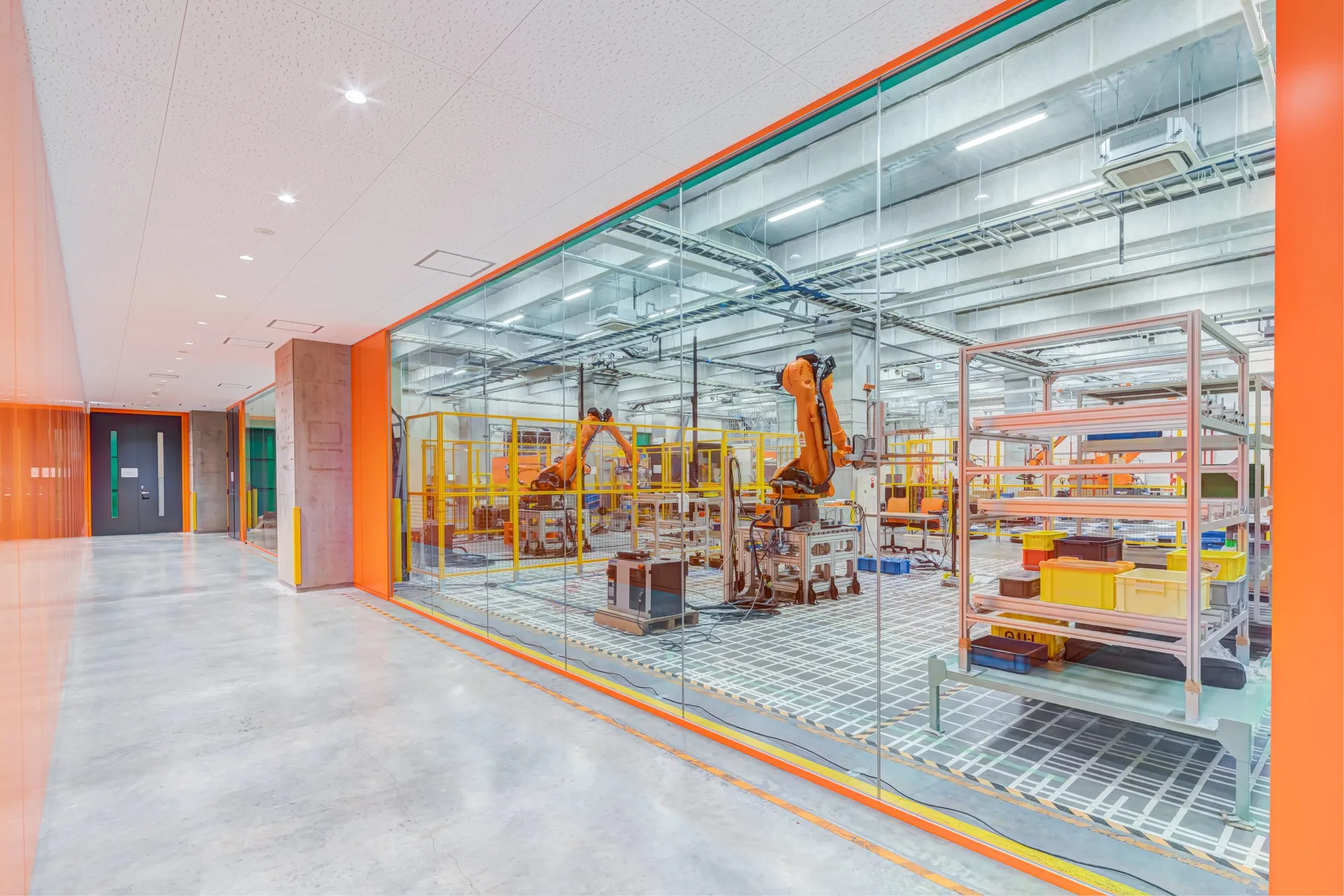
Industrial arms make the opposite trade. They are bolted to the floor and need a dedicated cell, but their large motors and stiff structure move heavy payloads fast and with sub-millimeter repeatability. Our job is to turn that hardware into throughput. The motion is computed from the current scene with no teaching, in a cluttered cell, close to the robot’s limits, and in sync with vision and conveyors, 24/7.
Step 2: Know What to Expect in Mujin’s Technical Interview
Our technical interview is about practical, hands-on engineering. We want to see how you use the fundamentals to work through real problems, so there is little point in memorizing formulas.
1. C++ & Python
Solid C++, including memory and pointer safety, performance debugging, and concurrency. We also use Python a lot, mostly to coordinate tasks and to write test harnesses.
2. Applied Math & Geometry
Being comfortable with linear algebra, SE(3) transforms, quaternions, Jacobians, forward and inverse kinematics and dynamics, and some basic computational geometry.
3. Software That Moves Real Machines
Writing code that controls real hardware. That means meeting real-time deadlines, avoiding race conditions between threads and devices, and staying within joint velocity, acceleration, and torque limits. It also means using sensor feedback to adapt the motion, and recovering from failures without stopping the line.
Step 3: Practice with Deep-Dive Technical Questions
These questions are similar to the ones we discuss in our interviews. Many of them are open-ended, so talk us through your reasoning. Asking clarifying questions and stating your assumptions are part of a good answer.
Question 1: The camera sees an object. Where should the robot’s gripper go to grasp it?
T_cam_base instead of T_base_cam). Once the target pose is right, the next step is inverse kinematics, which usually has more than one solution.- Start by chaining the frames. The camera gives the object pose in the camera frame,
T_cam_obj. The hand-eye calibration lets you express it in the robot base frame,T_base_obj = T_base_cam · T_cam_obj, and adding the grasp offset gives the pose the gripper has to reach,T_base_grasp = T_base_obj · T_obj_grasp. - IK is usually solved for the flange, so remove the tool offset first,
T_base_flange = T_base_grasp · (T_flange_tcp)⁻¹. It helps to name every transform and check that the inner frame labels cancel. - To invert a transform, use its structure. The inverse of
[R | t]is[Rᵀ | −Rᵀt]. - Then pick an IK solution. A 6-axis arm with a spherical wrist has up to 8 closed-form solutions (shoulder, elbow, and wrist flips). You choose among them based on joint limits, continuity with the current configuration, collisions, and distance to singularities. Analytical solvers such as IKFast (from OpenRAVE) return all of them in microseconds.
- Stay away from singularities. Near one (e.g. when wrist axes 4 and 6 line up), the robot can no longer move efficiently in some Cartesian directions. Keeping a given Cartesian velocity in those directions would need very large joint velocities, so with real joint limits the robot has to slow down or leave the commanded path. That is why we plan motions that stay clear of them.
Question 2: How do you make the robot faster?
- Measure one cycle as a timeline. Break it down into motion, planning, waiting for vision, building vacuum, release, and handshakes with conveyors and PLCs. Only the steps on the critical path (the longest chain of steps that wait on each other) set the cycle time. If a step already overlaps with a longer one, e.g. planning that runs while the robot is moving, making it faster does not shorten the cycle.
- Plan in the background. You can plan the next pick while the robot is still moving, and trigger the next image as soon as the arm leaves the camera’s view. This kind of pipelining can save whole seconds without the robot moving any faster.
- Count cases, not motions. Picking two cases at once roughly halves the time per case, even if the motion takes just as long. So cases per hour and cycles per hour are different numbers.
- Keep the concurrency correct. Once steps overlap, planning, vision, and device threads share state. That state needs clear ownership, you have to guard against stale data (e.g. an image taken before the last pick changed the scene), and you need a way to recover when a grasp fails in the middle of the pipeline.
Only then make the motion itself faster. A planner gives you a collision-free geometric path, and the speed comes from how you time it. The fastest trajectory always sits on some limit, and quite often that limit comes from the payload rather than the robot:
- Separate the path from the timing. Write the path as
q(s)and solve fors(t). Joint limits then become bounds onṡands̈throughq̇ = q′ṡandq̈ = q′s̈ + q″ṡ². - Limit torque, not just acceleration. With inverse dynamics,
τ = M(q)q̈ + C(q, q̇)q̇ + g(q), the acceleration you can reach depends on the configuration and on the mass of the item in the gripper. - Treat the grip as a constraint. A box held by suction or friction can take less acceleration in some directions than in others. If you limit end-effector acceleration only where the grip is weak, you keep the speed everywhere else.
- Separate the path from the timing. Write the path as
Question 3: A pick-and-place cell works in simulation but fails on the real robot. What could be going wrong?
- Frames and calibration are a common suspect. The hand-eye calibration may be off, the tool offset may be wrong, or the robot model may differ slightly from the real arm. A few millimeters are enough to miss a grasp or clip a container wall.
- Perception is another one. Simulation hands you ground-truth poses, while real sensors give you noise, occlusion, and missing depth on shiny, transparent, or dark surfaces.
- Then there are the objects and the contact with them. The mass and center of mass are unknown, packaging deforms, suction cannot seal on a wrinkled surface, or friction drags a neighboring item along.
- The robot itself may not behave like the model. Its controller does not track the commanded trajectory exactly, applies its own smoothing, or triggers a protective stop when a real payload pushes torque or collision thresholds over the limit.
- Finally, timing and communication. With latency and jitter between vision, planner, robot, and I/O, the scene may already have changed by the time an image is used (e.g. the last pick shifted a neighboring box), so the robot acts on outdated information.
Enjoy working through problems like these? See our open Robotics roles in Tokyo and the Netherlands →
Step 4: Brush Up on the Fundamentals
These are the books and resources we like for refreshing the fundamentals before the interview, grouped by the skills in Step 2.
Introduction to Linear Algebra
Gilbert Strang
Matrix Computations
Gene H. Golub & Charles F. Van Loan
Numerical Optimization
Jorge Nocedal & Stephen J. Wright
Convex Optimization
Stephen Boyd & Lieven Vandenberghe
Rigid Body Dynamics Algorithms
Roy Featherstone
Collision Detection in Interactive 3D Environments
Gino van den Bergen
Robotics: Modelling, Planning and Control
Bruno Siciliano, Lorenzo Sciavicco, Luigi Villani & Giuseppe Oriolo
Differential Dynamic Programming
David H. Jacobson & David Q. Mayne
Effective C++
Scott Meyers
C++ Concurrency in Action
Anthony Williams
The Art of Readable Code
Dustin Boswell & Trevor Foucher
Unit Testing Principles, Practices, and Patterns
Vladimir Khorikov
Joel on Software
Joel Spolsky
The Pragmatic Programmer
David Thomas & Andrew Hunt
Systems Performance
Brendan Gregg
Hacker’s Delight
Henry S. Warren, Jr.
Courses, Software & Papers
Robotic Manipulation (Russ Tedrake, MIT)
Course notes and lecture videos that connect perception, planning, and control for manipulation.
Kinematics, Dynamic Systems, and Control (Chris Atkeson, CMU)
Course notes for CMU 16-711, covering kinematics, dynamics, trajectory generation, optimal control, and state estimation.
OpenRAVE
The open-source planning environment that our motion engine and analytical IK solvers grew out of.
Automated Construction of Robotic Manipulation Programs
The 2010 Carnegie Mellon PhD thesis of Mujin co-founder Rosen Diankov, where OpenRAVE and the IKFast solver generator come from.
Join the Robotics Team at Mujin
Do you want to help industrial robots move faster and more reliably, in factories and warehouses around the world? We are hiring Robotics Engineers in Tokyo and the Netherlands.